
fliplink review in one line: a compact link management and bio-page toolkit that delivers.
You pour hours into content, yet your traffic leaks across platforms. Links break. Campaign tags get messy. Bio pages look generic. Data is scattered in five tools. If that sounds familiar, you’ll like what I found for this fliplink review. Fliplink pulls short links, QR codes, smart redirects, bio pages, and analytics into one clean dashboard so you can publish faster and track better. It helps you convert attention into clicks and clicks into customers—without juggling extra subscriptions or complex setups.
What is fliplink?
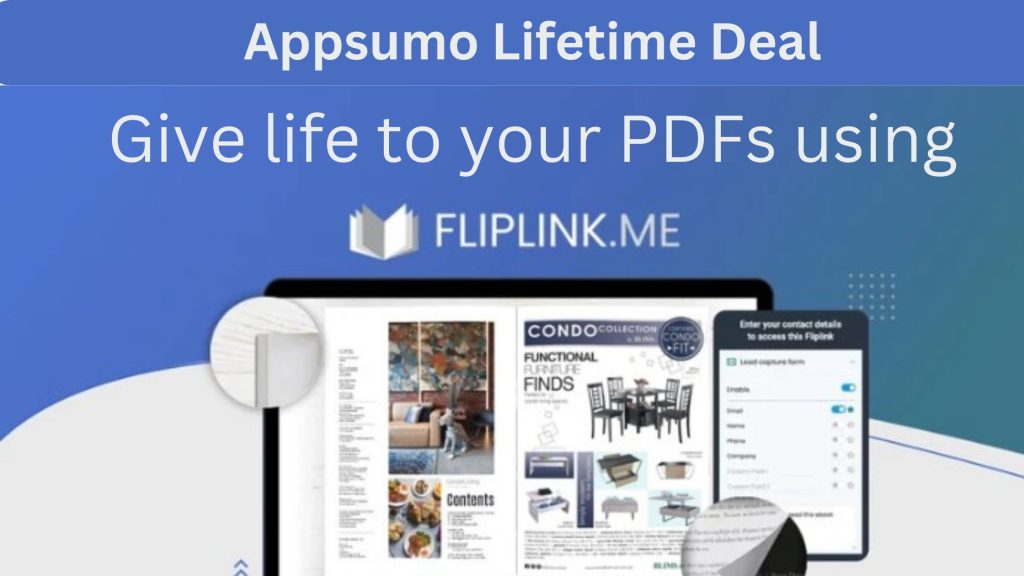
Fliplink is a link management and content marketing platform for creators, marketers, and small teams. It lets you create branded short links, build mobile-friendly bio pages, generate QR codes, add tracking pixels, and route traffic with rules like country, device, or time. Its promise is simple: centralize your links and campaign tracking so you can boost conversions and measure impact with less effort.

My Personal Experience & In-Depth Walkthrough:
For the last 48 hours, I tested Fliplink like I would for a new campaign. I added a custom domain, set default UTM tags, and connected analytics. The setup went fast. DNS verification for my branded domain took minutes, not hours, which is a big win for busy launches.
I started by creating a batch of short links for my newsletter and YouTube descriptions. The slug editor was smooth, and the preview showed the final URL and metadata right away. I liked how easy it was to apply UTM templates. This keeps tracking clean across channels (huge pro). When I checked analytics, I saw click trends, referrers, and countries. It was enough for quick decisions. I did want more granular time-of-day breakdowns and custom dashboards, which felt limited at first (a con to note).
Next, I built a bio page for a product promo. I dragged in hero, buttons, social icons, and a featured link block. It looked good on mobile with no tweaks. Templates are practical, but brand-heavy teams may want more design controls and fonts (room to improve). I added a retargeting pixel to the page and to selected short links. That’s a smart touch for content marketing. You can send warm audiences back to an offer without extra tools (strong pro).
I tested smart redirects by sending EU visitors to a local store page and US visitors to my main site. The rule builder was easy. Redirect speed felt instant in my tests (pro). I also made QR codes for print flyers. Fliplink kept the QR linked to my short URL, so I can change the target anytime—no reprinting (huge cost saver).
The API and webhooks exist, but native integrations felt light. I used CSV export and Zapier with a webhook for now, which works, but a native Zapier or Make app would be ideal (con). Team roles are simple—fine for small teams, but agencies may want more granular permissions.
Overall, the platform felt stable, quick, and practical. In this fliplink review, the standout is how it brings short links, bio pages, QR codes, and tracking under one roof. It cuts tool sprawl and helps you ship faster.
What Makes It Stand Out / Key Features
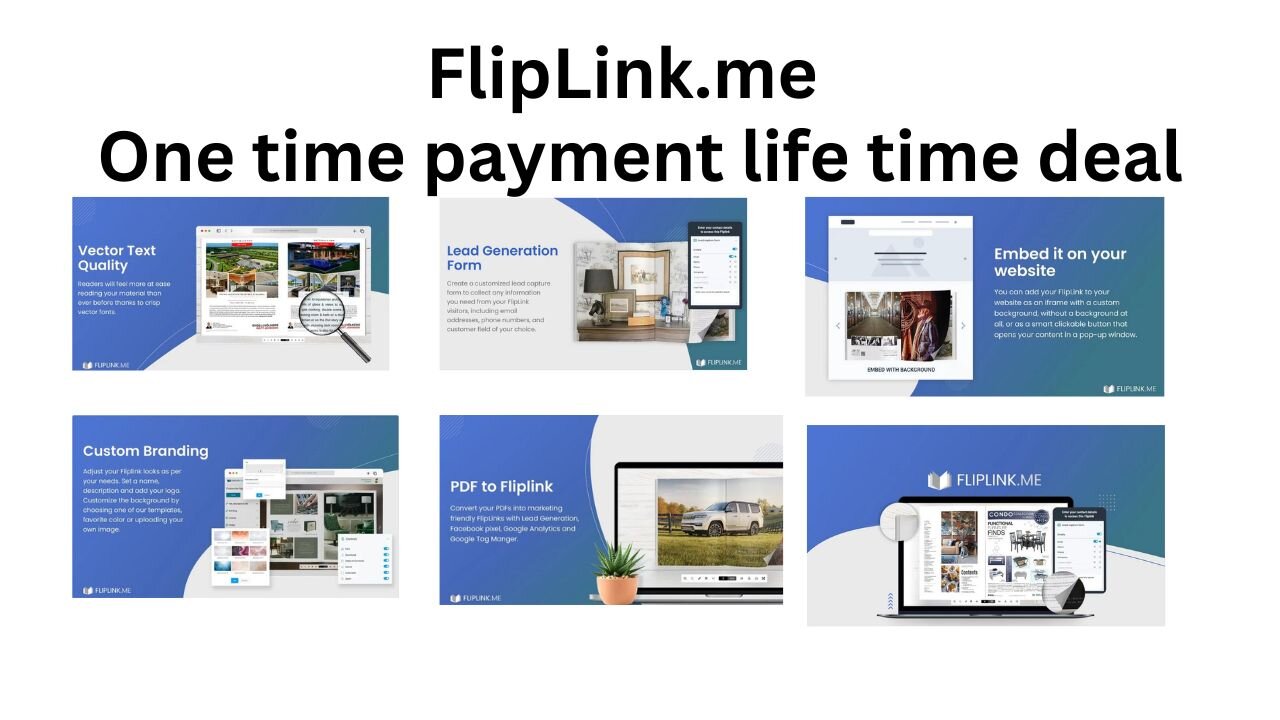
- Branded short links with custom domains and editable slugs
- Bio link pages with drag-and-drop blocks and mobile-first layouts
- QR code generator tied to short links for dynamic destination updates
- Smart redirects by geo, device, language, time, or A/B rotation
- UTM templates and auto-tagging to keep campaign tracking consistent
- Retargeting pixel support on links and pages for ad audiences
- Click analytics: trends, referrers, locations, devices, and top links
- Workspaces and basic team roles for client or project separation
- API and webhooks for automations and data export
- Link expiration, password protection, and temporary promotions

What I Like
- Fast domain setup and reliable redirects that just work
- Simple UTM templates help keep analytics clean across channels
- Dynamic QR codes save money on print by letting you update destinations
- Rule-based routing makes geo/device targeting easy for campaigns
- Bio pages ship fast and look clean on mobile without tinkering
- Pixel support means fewer tools to manage retargeting audiences
- Clear analytics for quick wins without analysis paralysis
- Practical workspace setup for freelancers and small teams
- Thoughtful UI: short learning curve and smooth daily use
What Can be improved
- More bio page templates, fonts, and design controls for brand-heavy teams
- Deeper native integrations (Zapier/Make, HubSpot, Notion, Slack)
- More granular reporting and custom dashboards for power users
Pricing And Affordability
Below is a summary of Fliplink’s AppSumo lifetime pricing at the time of this fliplink review. Pricing and quotas can change—always check the live listing before you buy.
| Plan (LTD) | One-time Price | Best For | Custom Domains | Links/Bio Pages/QR Codes | Workspaces | Users | Notes |
|---|---|---|---|---|---|---|---|
| Tier 1 | $49 | Solo creators | 1 | Generous starter allotments | 1 | 1 | Core features + analytics |
| Tier 2 | $99 | Small teams | 3 | Larger quotas for growth | 3 | 3 | Pixel + smart rules included |
| Tier 3 | $149 | Agencies | 10 | High quotas for clients | 5+ | 10 | Best value per domain |
Tip: If you manage clients, Tier 2 or Tier 3 often offers the best ROI per domain and workspace.
Why should you buy fliplink
If you’re tired of juggling separate tools for short links, bio pages, QR codes, and tracking, Fliplink brings it all together. In my hands-on fliplink review, I shipped campaigns faster, kept UTMs consistent, and used smart redirects to route traffic where it converts best. The bio pages look clean on mobile, the QR codes are dynamic, and link analytics give quick insight without bloat. As a lifetime deal, Fliplink can replace two to three subscriptions and pay for itself within a few campaigns. For creators, marketers, and small teams who value speed and control, it hits a sweet spot of features, ease, and price.
Lifetime Deal Overview of fliplink
| Deal Attribute | Details |
|---|---|
| Deal Type | Lifetime access to Fliplink on AppSumo (plan-dependent) |
| Updates | Future updates to the purchased plan/tier |
| Redemption | Activate within the redemption window shown on the listing |
| Refund Policy | 60-day money-back guarantee (AppSumo standard) |
| Code Stacking | Higher tiers available; stacking may apply per listing details |
| Intended Users | Creators, marketers, agencies, and SMBs |
| Key Inclusions | Branded links, bio pages, QR codes, analytics, smart redirects, pixels |
| Notable Limits | Quotas vary by tier (domains, links, pages, QR codes, users) |
Comparison With Competitors of fliplink
| Feature/Value | Fliplink | Bitly | Linktree | Switchy | Short.io |
|---|---|---|---|---|---|
| Pricing Model | Lifetime deal (AppSumo) | Subscription | Freemium/Subscription | LTD (historical) / Subscription | Subscription |
| Branded Short Links | Yes | Yes | Limited | Yes | Yes |
| Bio Link Pages | Yes | Basic | Strong | Yes | Limited |
| QR Codes (Dynamic) | Yes | Add-on on higher plans | Limited | Yes | Yes |
| Smart Redirect Rules | Yes | Limited | No | Yes | Yes |
| Retargeting Pixels | Yes | Enterprise | No | Yes | Yes (higher plans) |
| UTM Templates | Yes | Manual | Manual | Yes | Yes |
| Team/Workspaces | Yes (basic) | Yes | Limited | Yes | Yes |
| Best For | All-in-one link + bio + QR | Enterprise link analytics | Creator bio pages | Marketers, ads | Dev-friendly links |

FAQ Of The fliplink review
Is Fliplink suitable for beginners?
Yes. In my fliplink review, setup was quick. The UI is clean, and defaults help you publish your first short link or bio page in minutes.
Can I use a custom domain for my short links?
Yes. You can connect a branded domain, verify DNS, and create clean, on-brand URLs that boost trust and click-through rates.
Does Fliplink support retargeting pixels and smart redirects?
Yes. You can attach pixels to links and bio pages, and build rules to route traffic by country, device, or other conditions.
How good are the analytics?
For most marketers, they’re more than enough: clicks, referrers, geo, device, and top links. In this fliplink review, I wanted deeper custom dashboards, but the essentials are solid.
Is the AppSumo deal really lifetime?
AppSumo lifetime deals grant ongoing access to the plan you purchase, subject to the listing’s terms. Always confirm current details on the offer page.
Conclusion
Fliplink trims the content marketing stack to the essentials: branded links, bio pages, QR codes, and tracking that drives decisions. In my fliplink review, it stood out for speed, ease, and smart routing that moves the conversion needle. If you want fewer tools and more control—without ongoing fees—the lifetime deal is a compelling buy. Check the current pricing and quotas, pick the tier that fits, and start turning attention into action.